Category Archives: Articles

How to take great photos of your musical instruments – Tips & Tricks

A practical approach for anyone who wants to take great pictures of musical instruments.
By Leo Lospennato from Fellowship Of European Luthiers

Amateur and professional luthiers alike face a dilemma when it comes to taking pictures of their new creations:
Option 1: Spending a few hundred euros taking our instruments to a professional photographer. Option 2: Take the pictures ourselves. This article is aimed at helping us with the first steps into product photography — more specifically, photos of guitars.

What do we need?
First of all, having a good camera will help. Do not dream of obtaining a remotely acceptable photo with your smartphone or with a 1 megapixel camera. If you don’t happen to own a good camera (of at least a semi-pro quality) you can borrow one from a friend, or maybe rent one.

Second, we need a clear idea of the quality you want to achieve. Compare the following pictures. This was my first attempt — wrong camera settings, wrong studio setting, wrong lighting, wrongbackground, no retouch.

P1

Now look at the next picture of one of my basses taken by Dieter Stork  (a professional photographer who  specializes in electric guitars) for a test of an instrument on Gitarre & Bass, Germany’s most important magazine on the subject:

Lospennato1

Photo Copyright © by Dieter Stork

I knew that I would probably never reach that level of quality, but that picture did set the benchmark for me: I wanted to make something at least approximate to that astonishing clarity and level of detail. If you look at the picture in full resolution, you can magnify the frets and actually see things reflected on them!

P3

In my yucky first picture, the frets themselves were barely defined by some blurry pixels:

P4

The camera’s resolution was only one variable contributing to the disaster: there were a lot of things I was leaving out.

Third, decide the individual takes you want. I needed the following:
- A main picture of the full instrument (just as in the pictures above).
- A frontal picture of the guitar’s body, in playing position (that is, the guitar inclined about 20°, as it would look hanging around a player’s shoulders).
- A picture of the back of the body.
- Three additional pictures of particular details (pickups, nuts, etc.).

Preparation
1) Quick setup of the instrument. A good picture would tempt the viewer to reach into their computer screen and grab the instrument and play something, so at least perform a quick setup—a “cosmetic” one. At this point it just has to look good; the real setup can be taken care of later on.

2) Clean the instrument. You can always use Photoshop to eliminate fingerprints, dust specks, and dirty spots, but I have found that a microfiber cloth works much better than software and saves you a lot of time. Do not use paper tissues or fabrics that leave particles of the fibers on the instrument. The static electricity generated by the friction of the cloth will attract them like a magnet.
Regarding the finish itself, you can use wax, swirl removers, or other product of your choice – I recommend those produced by 3M. You find them in stores specializing  in car accessories, or just order them online.

3) Plan the session. Work in a room big enough to contain the elements you are going to use, allowing you to move around without stepping on things. Depending on the kind of lights you are using, the temperature can go up very quickly, so be sure that the place is properly ventilated. In my case, my living room (4 x 6 meters, or 12 x 18 feet) would do.

P5

Also, having a helping hand is important, perhaps someone to hold the instrument in position for particular pictures or to help you move things around. A person with experience in product photography will add a valuable collaboration. But this is valid as long as you can work together effectively. Having someone looking over your shoulder, making suggestions, or correcting you all the time can be pretty annoying. If that is the case, you are better off working alone. Consider the difficulties and mistakes as part of a learning curve.

4) Safety. Please pay attention to this important advice:
Do not allow children in the room. It is going to be full of cables, delicate equipment (tripods are not as stable as they look), and things running on electricity.

Talking about electric things, I use 500 watt halogen lights. They are very, very hot. They can ignite or melt all kind of plastics, papers, fabrics, and other materials placed close enough (guitar finishes too). The lights must absolutely be used mounted on their corresponding stand, never directly leaning on top of other things like tables, books, etc.

Have a fire extinguisher at hand — one rated  for electrical fires.
Be sure that you will work in a place with a proper electrical installation, with thermal switches, circuit breakers, etc.

Camera settings
There are many correct ways of taking good pictures; this is only a practical one, not necessarily the absolute best. Let’s start with setting up the camera correctly.

1)Set the priority mode to “Aperture.” In most cameras, this is indicated in a wheel (commonly on the left side of the camera) with an “A” or with an “Av” sign.

P6

“Aperture” means that the camera will give priority to something called depth of field and not to the shutter’s speed (explained soon).

2) Set a high depth of field. Set the depth of field (DOF from now on) to “f16,” or even higher, like “f22.” The higher the “f” number, the deeper DOF the pictures will have. A high “f” number means more things will come into focus, not only the central part of the picture.

P7

With a DOF = f8 the bridge looks in focus… P9

…but the headstock (located in the periphery of the composition) looks totally blurred.

Less DOF =lLower “f” number = less things into focus = only the central detail looks sharp = the farther the other details are from the primary subject of the photo, the more blurred they come up.

3) Set the ISO to 100. The “ISO” (formerly known as “ASA ”) tells you about the camera’s degree of sensitivity to light. In the old days of photography on film, a 100 ISOs film would take clear and detailed pictures, but it needed better lighting conditions. If you wanted to take photos in a darker environment (an indoor party at night, for example) you would choose a 400 ISOs film. To photograph a night starry sky, for example (incredibly low amounts of light), you would use a film with an ISO in the thousands. High ISO films would work much better in the dark, but the “grain” of the picture would be much coarser: the higher sensitivity of the film was achieved by means of larger photo-reactive particles on it, implying a lower resolution. In modern digital cameras, something analogous happens. All you have to do is to set the ISOs to 100. In fact, some cameras have the chance of setting an even lower ISO. As seen in the picture, I set  the ISO to something called “L 0.3,” the lowest available. The units are not expressed in ISO any longer because this setting is “artificial.” It is not native to the sensor (the “L 0.3” tag indicates that the low ISO is achieved by means of the camera’s firmware), but it should not produce  a noticeable drop off in the picture’s quality – on the contrary, it should increase its quality.

4) Set the exposure to zero. “Overexposing” the picture (allowing more light to impact the light-sensitive surface) is a trick that might help in diffusing the details of a white background. Look at these examples:
The overexposure diffuminates the background (putting us closer to the results we were set out to produce), but it also sheds too much light on the instrument. Details on the guitar disappear, and the excess of clarity makes “the eyes hurt”. That has a deleterious effect, for instance, for chatoyancy — the optical reflectance effect seen in certain violin backs. My experience is it is better to shoot the pictures without overexposing them and use the software to correct the background later on, during the retouching phase.

P10

Example of picture with no overexposure. The details of the white background are visible.

P11

The same picture taken with an overexposure = +1.0. The background is less visible, but the wood figure is less striking.

P12

With an overexposure = +2.0 the background is white (as we wanted), but the instrument looks too bright.

White balance. The camera will try to balance the colors in the picture to avoid extreme contrasts, causing the white background to look grayish. This can be corrected from the camera itself (which I didn’t try to do) or more simply, again, by using software later on (Lightroom or Photoshop), when the white balance can be set with just a couple of mouse clicks instead of navigating the menus of the camera.

Metering. Metering refers to the mode in which the camera measures the light in the scene in order to balance the light of the resulting picture in different ways. There are three modes of metering:

1) Spot metering, prioritizing the light on the very center of the picture (good a backlit subject against a sunset, for example).
2) Partial metering, prioritizing about 60 percent of the scene around the center (in order to counterbalance a strong back lighting, for example).
3) An “overall metering,” which senses the lighting conditions in the whole field of the picture. This last option is the one we need. So, you want to set your camera like this:

In the overall metering mode (also called “matrix” or “multi-zone” metering), the camera will take as reference the average lighting on the whole instrument. Of course, this is valid for the kind of whole instrument picture I am trying to make. If you want to “isolate” a particular detail (leaving the surroundings more dark), go ahead and try the other metering modes.

P13

Resolution. This one is easy. You want, of course, the camera set to the highest resolution available. No matter how many megapixels it has, you want them all. Even if online pictures have a relatively low resolution (72 ppi [pixels per inch], a detail fine enough for most computer monitors), for printed media, a resolution of at least 300 ppi is necessary.

P14

With a little practice we can approximate professional results, as shown in this picture; it was taken according to the instructions to be presented in this series of articles. The secret: A (reasonably) good camera, correct settings, the best possible lighting setup, a little help of retouching software and a nice dose of patience (photo by the author).

Shutter speed. The settings described above will give you the most clear, detailed picture. But there is a catch: the camera will require a relatively longer exposure time. The shutter (the device in the camera that regulates the amount of light that will impact the camera sensor) will have to stay open longer in order to allow enough light to pass. Why is this a catch? A longer exposure time means a higher risk of camera shake. With these settings, you get the higher detail but cannot shoot holding your camera in your hands. If you are really determined to make good pictures, you must use a tripod. You can get them very cheap on Amazon or eBay (believe it or not, I got mine — a cheap but decent tripod that gets the job done — for 12.90 euros).

After you get familiar how to make a good photos of your instruments now let’s see how to set up a home studio for very little money. Remember, I am not a professional photographer, just a luthier who wants to take good pictures of his instruments. So I am just sharing my experience — in this case, one that took place in my living room.

Photography is becoming an ever increasingly popular pastime. According to some sources (http://bit.ly/HhfAza) ten percent of all photographs ever have been taken during the last year alone. The Internet, cell phones with cameras, social networks all have made it easier to stay in touch but harder to stand out.

The world has indeed become a smaller, more crowded place. So, if we want to the pictures of our products to stand out and have an impact we need to make damn sure they are good. If we want to stand apart from our competition we better make sure they are as good, as cost effective and as professional as the can possibly be.

Speaking of my living room, this is how it looked before I started transforming it into a home studio — I took a table from my workshop and placed on its side:

P15

I could have used the table to place the instruments on, but I decided to go for the floor so I could use the table’s legs as  a supporting structure for the background and the lighting, as shown in the next picture.

Background
The first indication of an amateur product picture is the choice of  background. The Internet is full of pictures of guitars just lying on a kitchen floor or on a sofa. A professional picture would surely be taken with a backdrop background.  I think the best backdrops are the paper rolls like you find in all professional photo studios. But this is not the cheapest option. One alternative (which is the one I have used) is a cloth backdrop. However, the texture of the textile, the wrinkles, and its less-than-perfect white color means it needs to be edited using retouching software. However, even if the white cloth got photoshopped out in the end, it provided a good contrast to my guitars in order to work more accurately on the retouching later on.

So, I bought a piece of white fabric on eBay, advertised as “photographic background”. It is a cotton cloth (in my case, 160cm x 250cm – about 5 x 8 feet), with “a texture that helps diffuminate shadows” according to the description. Any clean white sheet would have sufficed, though. To hold it in place, I took advantage of my furniture and some clamps.

P16

A really practical solution would have been using one of those IKEA rolling blinds (the model “Isdans” or similar): no wrinkles, almost no texture, easy to store. You can also use white paper, but I found it difficult to find a sheet of paper big enough to serve as a background for a 120cm (4ft.) long bass.

Lospennato1Copyright © Photo by Dieter Stork

The benchmark: this professional picture of one of my instruments has the precise style I wanted to emulate. (Foto copyright: Dieter Stork)

Also, paper tears easily. Another thing you could use as a background is a transparent sheet (made of plexiglas, or acrylic) resting on the cloth. That would eliminate shadows and will create a reflection instead, as if the instrument was leaning on a shiny surface (which it was: a big piece of 2mm thick acrylic sheet.  It set me back 50 eur, though). That is what I tried to achieve in the picture above (which has of course been retouched — this also serves as a preview of the kind of result we are aiming at).

As explained  earlier, the intention was to reproduce the style and quality of a picture taken by a real professional. In particular, I used a professional photograph of one of my basses as a benchmark (see picture of the black bass). That photo was taken by Dieter Stork, a recognized German photographer specialized in musical instruments. The quality of the picture I took is not quite as high as the professional one, but it is not a bad try for a newbie.

Lighting
Here we look at the most important part of the whole process. Despite my fundamental ignorance on the subject, I have come to understand that good photography is more about good lighting than about expensive equipment.

You have basically three options regarding lighting:
1) Natural light — which is not much use in product photography, such as in our case.
2) Off-camera flashes. This is a complicated technique. Firstly you need to synchronize the flashes via the use of remote controlled signals. You also need special settings on the camera and supports for the flashes. If you have them and know how to use them, go ahead, by all means. Certainly not my field of expertise.
3) Continuous lighting (lamps). This is the way I went. As the lights are continuously on, you can see a preview of the result on your camera’s screen and make adjustments before shooting.

P18

The result: eventually I obtained a picture like this one, which is maybe not as good as the professional one, but it is an acceptable first try. Note the deliberate refletions in the instrument face, obtained with a diffusor and a black piece of cloth.

I used two incandescent 500 watts lamps. You can get a similar lighting power from two 105W fluorescent bulbs. I didn’t have those at hand, but they are better than the incandescent bulbs for two reasons: lower consumption and lower temperature. They are more expensive, though. I got my two 500W lamps for 15eur each in a ‘Home Depot’ kind of store. Don’t forget to buy a few spare filaments for them (they burn or break fast, but are really cheap).

Remember, those incandescent 500w lamps will get HOT very quickly. Turn them on only when you are taking pictures. If you have to visit the bathroom or answer the phone, turn them off. I also got two white umbrellas with their supports and mounted them on lamp stands. I got them on eBay, for about 10 euro each. By using these umbrellas, the strong light coming from the lamps gets diffused, instead of acting as spotlights. This eliminates hard shadows and creates an ambience filled with a more distributed light and therefore softer shadows. The resulting, more uniform light, is distributed to all parts of the instrument.

The next pictures show how my home studio looks at this point. Note how the light points directly at the umbrella. I did that by aligning the lamp angle (while the lamp is off and cold, of course) and the umbrella’s stick. The umbrella is held in position by the support that came with it, which is attached to the lamp support. There are different types of lamps and supports and you will have to use some ingenuity when setting everything up. Note that the power board is out of the way (down and to the left in both pictures): I could move the lights around and have easy access to the instrument without getting my feet wrapped up in cables. Both lamps are plugged into the same  power board, which has an on/off switch (it makes easy to turn all lights on/off simultaneously).

I used cloth gloves to move the instrument around, in order to avoid leaving fingerprints on the guitar. To keep the instrument in position, I placed one of my dog’s plush toys under the body of the instrument — he was not happy about that, but it worked. A small cloth bag filled with rice would have also worked.

P19

My basic home studio. Background, lights, and guitar are ready (my dog is making sure that everything has been set up properly).

P20

Lights are on: let the shooting begin. Take your time, try different angles, move the lamps around.

So, my home studio was ready for the session. I wanted to take four or five pictures of each one of seven instruments. I decided not to do an instrument after instrument session — i.e. taking all pictures of one guitar or bass after another, but I went for a take after take session, instead. That means: I would place the lamps and the camera in position, and shoot the main picture for all seven instruments; then I would set up the lamps and camera for the headstock takes, and shoot all seven headstocks, and so on. That way I was not constantly repositioning the lights and the camera (trying to remember how they where, etc), but just the guitars.

So, that’s what makes a good home studio: simple, functional, cheap. And above everything else, safe.


Feedback and questions are welcome!


All the best,

V&R Team


Note: Photos copyright by Leonardo Lospennato

Please note that this article was published in Sustain Magazine #1 – visit http://www.FellowLuthiers.com

Guest blog: 1971 Gibson SG Inspires Both Online and Off

Have you heard of Figment?

It’s an online game where users can create their own, non-existing bands with whole albums with track lists, album covers, and long descriptions of how this band would sound – if it was real! The most creative and interesting bands and albums get the most fans and attention, and are rewarded with ‘lucres’, the Figment game money users can buy stuff with.

On Figment, it’s “All bands, no music“.

Figment decided to give their users a challenge and promised a bucket full of lucres for the winner:

“We’ve noticed that many of our players are musicians in real life.  We’ve also noticed that many of you are great writers, who can easily and concisely write about your love of music, real and fake.  So for our first Figment Challenge we’re looking for one player who owns a vintage instrument and is willing to write about why they love that instrument, and how playing it has inspired the bands they create on Figment.”

The winner of the challenge is formerwageslave aka Remy Brecht.  He owns this 1971 Gibson SG:

Here is the article he won the challenge with:

’71 Gibson SG Inspires Both Online and Off
by Remy Brecht

I am the proud owner of a Gibson SG 200/250 from around ’71-’72. I bought it for $180 down in Memphis, TN from a FedEx employee sometime in the late 90′s, though I wish I had thought to ask him more about the instrument’s history at the time. He either didn’t realize what he had or didn’t fully appreciate its well-worn appearance, and had it “restored” at some point in the form of drowning it in a thick coat of shiny white paint. Nevertheless, it still has its rubber knobs and plastic switches, its “Les Paul Custom” tag on the headstock, its single coil pickups hidden by black plastic covers with “Gibson” in raised cursive lettering. The latter is perhaps my favorite detail about the guitar. Since then, this SG has been my main axe through countless projects and cities, from alternative rock cover bands in Memphis to industrial rock in Indiana, from feedback noise experiments in Las Vegas to digital hardcore punk in Detroit. My blood has soaked into the fretboard on numerous occasions, and there are plenty of new dents in its weathered but still rock-solid body.

Sadly, however, I don’t always have time to sit down and record ideas for songs… or entirely new bands, for that matter. When I discovered Figment ( http://www.figment.cc ), the immersive online game dedicated to creating painstakingly realistic fake bands, I knew I had found the perfect outlet for my excess creativity. On Figment, users can create the bands of their dreams, writing their back stories and member bios, designing their logos, and creating albums complete with cover art, track lists, credits, and descriptions. Other Figment users then “buy” and “listen” to these non-existent albums to increase their position on the Hot Albums chart. There are also frequent challenges with real prizes and famous music industry judges, including concept album and album cover design contests.

One of my main bands on Figment is the mythical stoner/doom group Vorpal Queen. My vintage SG is a constant source of inspiration when coming up with songs and albums for VQ, especially since one of their main influences is Black Sabbath. Tony Iommi has his own line of SGs that bear his name, and owning an instrument from that same family of guitars (and one that dates back to the days of such classic Sabbath records as Paranoid and Masters of Reality!) helps me channel those heady, haze-filled days of nascent heavy metal. Considering the SG’s narrow neck with strings set hand-crampingly close together, the heavy chunk of maple that is its body, I have a deeper appreciation for players such as Iommi who were able to play them back then with such speed and finesse– not an easy task compared to the lighter, faster guitars available today. The SG’s weight, the way each note rings through the entire body… these things stick in my mind when imagining new chapters of dark sludge for The Queen!

Figment bands of mine:

Vorpal Queen - http://www.figment.cc/bands/2528/vorpal-queen.fig
Lucifer and the Long Pigs - http://www.figment.cc/bands/2491/lucifer-and-the-long-pigs.fig

Real bands of mine:
The Restless Shades - http://www.facebook.com/therestlessshades
Phallus Uber Alles - http://www.facebook.com/phallusuberalles

Famous Vinyls Covers: Guestblog by Vinylstall.com

Vinyl records have been popular during most of the 20th century. These recordings are played using a record player called phonograph. Vinyl recordings are once a favorite in the entertainment media. Over the years, the music industry has innovated and produced modern technology from cassette tapes to CDs and digital music players. Old types of music recorded on vinyl are now being revived with the integration of musical instruments. Audiophiles are into vinyl record collection because they love this vintage music format. Even the new generation musicians and music lovers are becoming interested in this old time disc recording.

Vinyl record enthusiasts have never ceased using and collecting this form of music medium. In fact, some artists and small label companies release their music using vinyl. DJs also play and spin these records in the clubs and bars because of the good sound quality. Vinyl has survived the innovation of technology and has influenced the music industry over the years. During the middle to the late years of the 20th century, there are a lot of famous vinyl covers that have been produced and distributed in the market. How can we forget the famous cover of the Rolling Stones, Sticky Fingers? Sgt. Pepper’s Lonely Hearts Club Band by the legendary Beatles has been considered the best cover of all times. For decades, label companies have also integrated famous instruments on their vinyl record covers.

During the vinyl record era, covers are very significant to express the theme of the artist’s songs. Some use their personal profiles and pictures or musical instruments like guitars, piano and saxophones.

Instruments featured in Vinyl Record Covers:

a. One of the most acclaimed albums during the 50’s is the Saxophone Colossus by Sonny Rollins. The award winning album was recorded and released in 1956 by Prestige Records and was considered the best albums issued by this recording company. The cover shows a man playing his saxophone in a blue background. It is a jazz album containing five tracks, three of which are Johnny Rollins’ compositions.

b. Another remarkable vinyl record cover is the album “Eric Clapton Slow hand” by Eric Clapton. This album includes lyrics of all songs and some art clips and photos. The front cover photo shows neck, turning keys and head of a guitar. A body of the guitar being strummed by a man is illustrated in the back cover. The album was produced in 1977 by Glyn Johns.

c. Jerry Lee Lewis also known as “The Killer” pioneered rock and roll music through a distinctive style in piano playing. His album “Who’s gonna play this old piano” released in 1972  contains eleven tracks including the hit songs “She’s Reachin For My Mind” and “Who’s gonna play this old piano”. The vinyl record cover shows an old grand piano with some lyric sheets on top of it.

Vinyl record covers were of great help to market and sell albums. The concept depends on the genre and the performer’s type of music. Most of the covers show profiles and pictures of the singer or bands. Covers for vinyl records also show musical instruments used by performers. Albums with famous musical instruments like guitars, pianos and saxophones are incorporated in the back or front cover of the musician’s album.

Vinyl is one of the greatest medium in the music industry. There is a need for us to protect and promote vinyl records to preserve the music of the past generation. You can find rare vinyl records for sale online, with the free vinyl search on http://www.vinylstall.com/

Isolated guitar and bass tracks

We love vintage musical instruments and we love vintage recordings.

The sixties and the seventies have been the most exciting decades in terms of sound research and recording technique. However, we love it when the technology which is surrounding us nowadays provides us with a whole new way to listen to our favorites.

Digital technology such as the moog file format and even popular video-games such as Guitar Hero allow us to tear a song a part and listen to one isolated track at the time. Whether the purpose of doing this is to learn thoroughly a song on guitar or find out what kind of mixing tricks have been used to create the sound that we love so much, what we discover is astonishing and inspiring. The musicians’ skills and technique don’t seem to be quite as important as the feeling they’ve put into it. We often find mistakes in the execution, mistakes that disappear or even add a magic feeling when we listen to the track in its whole.
Many isolated tracks are hosted on youtube. As Vintage & Rare we picked our top 5. Needless to mention that these tracks are taken from the history of rock.

So, whether you’re looking for inspiration or if you want to analyze how your guitar hero used to rip his instrument in the studio, or how he wanted his track mixed in your head, go ahead and check these links. But beware! It might sound bad from time to time..but hey!! Who cares about perfection? These people wrote a piece of history. And we all should be grateful.

Enjoy!


The Beatles – SUn King – Guitar track

The guitar bounces softly from the left to the right and back again creating endless space in our mind..


The Who – My Generation – Guitar Track

In this live recording from the 1970 Pete Townshend’s shredding guitar. You can hear a couple of the purely valve sounds we still love so much. Something punk rock bands are still trying to reproduce today. Pure rock ‘n’ roll.


Black Sabbath – Into the Void – Guitar Track

Pioneers of heavy metal..Double tracking fills up your ears and kicks ass. At 3:08 min Tony Iommi gives his best.


Nirvana – Kurt Cobain – You know you’re right – Guitar Track

Noisy and cool..this track reveals Kurt Cobain’s taste in guitar sound and songwriting. His typical alternating quiet verses with noisy choruses. And how he holds the feedback at 1:16. Amazing!


Rage Against The Machine – Killing in the name – Bass track

Tim Commerford grooves his way through the song..It’s hard not to imagine the drums pattern though..The rhythmic session in this song is a badass rolling stone.

Claim your business page on Vintage & Rare

Want to drive more Customers to your business for FREE?

Claim your business page on Vintage & Rare

Claiming your business page will allow you to:

♦ monitor views of your business page on Vintage & Rare
♦ Uploading pictures and info about your inventory
♦ monitor daily views and clicks on the products you upload
♦ Get in contact directly with your customers all around the world

100,000 visits every month  of people looking for the best musical instruments
Help them find your business

How to date vintage fender amps

Dating Fender Amps

1951-1967 – Tube chart on the inside of the amp is stamped with two letters (A – Q):

The first letter designates the year and the second letter designates the month.

A 1951 JAN
B 1952 FEB
C 1953 MAR
D 1954 APR
E 1955 MAY
F 1956 JUN
G 1957 JUL
H 1958 AUG
I 1959 SEP
J 1960 OCT
K 1961 NOV
L 1962 DEC
M 1963
N 1964
O 1965
P 1966
Q 1967

Mid ’70s – early ’80s – Amplifiers are dated much the same way as Fender guitars from the same era:

B + 5 digits 1975 – 1976
A6 + 5 digits 1976
A7 + 5 digits 1977
A8 + 5 digits 1978
A9 + 5 digits 1979
F0 + 5 digits 1980
F1 + 5 digits 1981
F2 + 5 digits 1982 – 1983
F3 + 5 digits 1983 – 1984
F4 + 5 digits 1984 – 1985
F9 + 5 digits 1979 – 1980

Dating Contemporary Fender Amplifiers

All Fender amplifiers manufactured from 1990 – present include a date code printed on the quality assurance (QA) sticker on the back of the amp chassis, and are dated the by the first letter as the year and the second letter as the month.

A 1990 JAN
B 1991 FEB
C 1992 MAR
D 1993 APR
E 1994 MAY
F 1995 JUN
G 1996 JUL
H 1997 AUG
I 1998 SEP
J 1999 OCT
K 2000 NOV
L 2001 DEC
M 2002
N 2003
O 2004
P 2005

ALL other Fender Amplifiers can be dated by the components inside:

In almost every Fender amplifier there are several EIA (manufacturer) codes followed by a date code, typically found on the speaker(s), transformer(s), tubes, caps, and occasionally pots. The EIA code will consist of 3 numbers followed by a date code of 3 or 4 numbers designating the year and the week. To give an example, a typical Oxford speaker from the ’60s will look something like: 465-217. 465 designating the Oxford EIA code, 2 designating the year 1962, and 17 designating the 17th week of ’62. Take a look at this ’62 Fender Princeton Amp, and you’ll see that exact speaker, as well as the typical Schumacher transformers (EIA 606) used in Fender amplifiers.

Serial Number ranges from amplifiers made between the late ’40s – late ’70s:

Bandmaster 5C7, 5D7 (tweed)
0001 to 0800 – 1953
5000 to 5500 – 1954

Bandmaster 5E7 (tweed)
S00001 to S00350 – 1955
S00350 to S01200 – 1956
S01100 to S01800 – 1957
S01700 to S02500 – 1958
S02500 to S03700 – 1959

Bandmaster 5G7, 6G7 (brown)
00001 to 0100 -1960

Bandmaster 6G7, 6G7-A (blonde)
00001 to 02400 –  1960
02300 to 05100 –  1961
49000 to 58000 –  1962
58000 to 59200 –  1963

Bandmaster AA763, AB763 (blackface)
A00001 to A01700 – 1963
A01400 to A08000 – 1964
A07700 to A17000 – 1965
A16000 to A22000 – 1966
A20000 to A27000 – 1967

Bandmaster AB763, AC568 (silverface)
A26000 to A29000 – 1967
A28000 to A34000 – 1968
A33000 to A34000 – 1969
A34000 to A45000 – 1970-72

Bandmaster Reverb AA768, AA1069, AA270, TFL5005 (silverface)
A31000 to A35000 – 1968
A35000 to A45000 – 1969
A45000 to A49000 – 1970
A48000 to A54000 – 1971
A54000 to A59000 – 1972
A59000 to A66000 – 1973
A66000 to A77000 – 1974
A75000 to A78000 – 1975
A78000 to A80000 – 1976

Bassman 5B6 (tweed)
0001 to 0300 – 1951
0300 to 0400 – 1952
0400 to 0600 – 1953

Bassman 5D6, 5D6-A (tweed)
0600 to 0900 – 1954

Bassman 5E6, 5E6-A (tweed)
0100 to 0200 – 1955
BM00001 to BM00550 – 1955
BM00550 to BM01200 – 1956
BM01200 to BM01600 – 1957

Bassman 5F6, 5F6-A (tweed)
BM00001 to BM00400 – 1957
BM00400 to BM01500 – 1958
BM01500 to BM03100 – 1959
BM03100 to BM04600 – 1960

Bassman 6G6, 6G6-A, 6G6-B (blonde)
BP00100 to BP01100 – 1961
BP01100 to BP05000 – 1962
BP05000 to BP08400 – 1963
BP08400 to BP12000 – 1964

Bassman AA864, AA165, AB165 (blackface)
A00100 to A03800 – 1964
A03800 to A15000 – 1965
A15000 to A25000 – 1966
A24000 to A33000 – 1967

Bassman AB165, AC568, AA270, AA371 (silverface)
A32000 to A40000 – 1967
A39000 to A49000 – 1968
A48000 to A58000 – 1969
A58000 to A60000 – 1970

Bronco AB764 (silverface)
A19000 to A21000 – 1967
A20000 to A26000 – 1968
A25000 to A28000 – 1969
A28000 to A29000 – 1970
A29000 to A32000 – 1971
A32000 to A35000 – 1972
A33000 to A39000 – 1973
A39000 to A42000 – 1974
A42000 to A51000 – 1975

Champion 800 (tweed)
01 to 1000 – 1948-49

Champion 600 5B1 (tweed)
01 to 1300 – 1948-49
1300 to 1700 – 1950
1700 to 5000 – 1951-52
5000 to 5500 – 1953

Champ 5C1, 5D1 (tweed)
5500 to 6600 – 1953
6600 to 8000 – 1954
8000 to 9999 – 1955

Champ 5E1, 5F1 (tweed)
C00001 to C00800 – 1955
C00800 to C03100 – 1956
C03100 to C06000 – 1957
C06000 to C08800 – 1958
C08800 to C12500 – 1959
C12500 to C15500 – 1960
C15500 to C16800 – 1961
C17000 to C19000 – 1962
C19000 to C21000 – 1963
C21000 to C23000 – 1964

Champ AA764 (blackface)
A00100 to A02000 – 1964
A01900 to A05200 – 1965
A05200 to A12000 – 1966
A12000 to A12200 – 1967

Champ AA764 (silverface)
A12200 to A13900 – 1968
A13900 to A18000 – 1969
A18000 to A30500 – 1970
A30500 to A32000 – 1971
A32000 to A35000 – 1972
A32000 to A42000 – 1973
A42000 to A50000 – 1974
A50000 to A63000 – 1975
A63000 to A85000 – 1976

Concert 5G12, 6G12, 6G12-A (brown)
00001 to 02400 –  1960
02300 to 05100 –  1961
49000 to 58000 –  1962
58000 to 59200 –  1963

Concert AA763, AB763 (blackface)
A00001 to A01700 – 1963
A01400 to A08000 – 1964
A07700 to A08800 – 1965

Model 26 Deluxe (woodie)
100 to 1500 – 1946-48

Deluxe 5A3, 5B3 (tweed)
001 to 800 – 1948
800 to 1900 – 1949
1900 to 3000 – 1950
3000 to 5400 – 1951
5400 to 6800 – 1952
6800 to 7300 – 1953

Deluxe 5C3, 5D3 (tweed)
0001 to 1500 – 1953
1500 to 3600 – 1954
3600 to 5300 – 1955

Deluxe 5E3 (tweed)
D00001 to D01400 – 1955
D01400 to D03000 – 1956
D03000 to D05000 – 1957
D05000 to D06800 – 1958
D06800 to D09000 – 1959
D09000 to D10000 – 1960
D10000 to D11000 – 1961

Deluxe 6G3, 6G3-A (brown)
D00100 to D00900 – 1961
D00800 to D03800 – 1962
D03800 to D04900 – 1963

Deluxe AA763, AB763 (blackface)
A00100 to A00500 – 1963
A00500 to A02800 – 1964
A02800 to A05600 – 1965
A05600 to A06100 – 1966
A06100 to A06500 – 1967

Deluxe Reverb AA763, AB763 (blackface)
A00100 to A00300 – 1963
A00300 to A03900 – 1964
A03900 to A13000 – 1965
A12000 to A19000 – 1966
A19000 to A24000 – 1967

Deluxe Reverb AB763, AB868 (silverface)
A24000 to A26000 – 1967
A26000 to A28500 – 1968
A28500 to A33000 – 1969
A31000 to A33000 – 1970
A33000 to A34500 – 1971
A34500 to A37000 – 1972
A37000 to A39000 – 1973
A39000 to A42000 – 1974
A42000 to A43000 – 1975
A43000 to A45000 – 1976

Dual Showman AA763, AB763 (blackface)
A00100 to A01400 – 1963
A01400 to A01700 – 1964
A01700 to A04300 – 1965
A04300 to A08000 – 1966
A07800 to A12000 – 1967

Dual Showman AB763, AC568 (silverface)
A12000 to A12500 – 1967
A12500 to A15000 – 1968

Dual Showman Reverb AA768, AA769, AA270, TFL5000 (silverface)
A13900 to A16500 – 1968
A16500 to A22400 – 1969
A21700 to A25600 – 1970
A25600 to A37000 – 1971
A37000 to A50500 – 1972
A50500 to A68000 – 1973
A68000 to A99999 – 1974
A81000 to A99999 – 1975
B01000 to B15000 – 1975
B15000 to B68000 – 1976

Harvard 5F10 (tweed)
H00100 to H00500 – 1956
H00500 to H01400 – 1957
H01400 to H02000 – 1958
H02000 to H02600 – 1959
H02600 to H03400 – 1960
H03400 to H03500 – 1961

Musicmaster Bass CFA-7010 (silverface)
A00100 to A04100 – 1972
A04100 to A07900 – 1973
A07900 to A09500 – 1974
A09500 to A09800 – 1975
A09800 to A10500 – 1976

Princeton 5B2, 5C2, 5D2 (tweed)
2500 to 3600 – 1953
3600 to 4400 – 1954
4400 to 4700 – 1955

Princeton 5F2, 5F2-A (tweed)
P0001 to P00350 – 1955
P0001 to P01100 – 1956
P01100 to P02400 – 1957
P02400 to P03000 – 1958
P03000 to P04300 – 1959
P04300 to P07000 – 1960

Princeton 6G2, 6G2-A (brown)
P00100 to P01000 – 1961
P01000 to P05100 – 1962
P05100 to P07200 – 1963
P07100 to P09900 – 1964

Princeton AA964 (blackface)
A00100 to A02500 – 1964
A02500 to A07000 – 1965
A05000 to A10400 – 1966

Princeton AA964 (silverface)
A10000 to A11000 – 1967-68
A11000 to A15000 – 1969-70

Princeton Reverb AA1164 (blackface)
A00100 to A02100 – 1964
A02100 to A07500 – 1965
A05500 to A14500 – 1966
A14000 to A18700 – 1967

Princeton Reverb AA1164, B1270 (silverface)
A18500 to A19500 – 1967
A18900 to A21500 – 1968
A21500 to A25500 – 1969
A24000 to A25000 – 1970
A25000 to A26000 – 1971
A26000 to A27500 – 1972
A27500 to A30000 – 1973
A30000 to A32500 – 1974
A32500 to A34500 – 1975
A34500 to A36000 – 1976

Pro 5A5, 5B5, 5C5, 5D5 (tweed)
01 to 600 –  1948
600 to 1100 –  1949
1100 to 1700 –  1950
1700 to 2500 –  1951
2500 to 3500 –  1952
3500 to 4800 –  1953
4500 to 6000 –  1954

Pro 5E5, 5E5-A, 5E5-B (tweed)
S00100 to S00800 – 1955
S00800 to S01200 – 1956
S01200 to S01800 – 1957
S01700 to S02500 – 1958
S02500 to S03700 – 1959

Pro 5G5, 6G5, 6G5-A (brown)
00001 to 02400 – 1960
02300 to 05100 –  1961
49000 to 58000 – 1962
58000 to 59200 – 1963

Pro AA763, AB763 (blackface)
A00001 to A01700 – 1963
A01400 to A08000 – 1964

Pro Reverb AA165 (blackface)
A00100 to A02700 – 1965
A02700 to A09200 – 1966
A07000 to A10200 – 1967

Pro Reverb AA1265, AB668, AA1069, AA270 (silverface)
A10000 to A10500 – 1967
A10500 to A12000 – 1968
A12000 to A13300 – 1969
A13400 to A14500 – 1970
A14500 to A15000 – 1971
A15000 to A15600 – 1972
A15600 to A17200 – 1973
A17200 to A19700 – 1974
A19700 to A20000 – 1975
A20000 to A21500 – 1976

Quad Reverb CFA7104 (silverface)
A33000 to A37000 – 1971
A37000 to A50500 – 1972
A50500 to A68000 – 1973
A68000 to A99999 – 1974
A81000 to A99999 – 1975
B01000 to B15000 – 1975
B15000 to B68000 – 1976

Reverb Unit 6G15 (brown, blonde, blackface)
R00100 to R00900 – 1961
R00900 to R02600 – 1962
R02600 to R04800 – 1963
R04800 to R07400 – 1964
R07400 to R09800 – 1965
R09800 to R11000 – 1966

Showman 6G14, 6G14-A (blonde)
00001 to 00350 –   1960
00200 to 00800 –  1961
00800 to 01500 –  1962
01500 to 01800 –  1963

Showman AA763, AB763 (blackface)
A00100 to A01400 – 1963
A01400 to A01700 – 1964
A01700 to A04300 – 1965
A04300 to A08000 – 1966
A07800 to A12000 – 1967

Showman AB763 (silverface)
A12000 to A12500 – 1967
A12500 to A15000 – 1968

Super incl. Dual Professional (tweed)
01 to 400 – 1946-47
500 to 1200 – 1949-51
2000 to 4300 – 1952-53
4500 to 5500 – 1954
5500 to 6100 – 1955

Super 5E4, 5F4 (tweed)
S00100 to S00800 – 1955
S00800 to S01200 – 1956
S01200 to S01800 – 1957
S01700 to S02500 – 1958
S02500 to S03700 – 1959

Super 5G4, 6G4, 6G4-A (brown)
00001 to 02400 –   1960
02300 to 05100 –  1961
49000 to 58000 –  1962
58000 to 59200 –  1963

Super Reverb AA763, AB763 (blackface)
A00100 to A00600 – 1963
A00600 to A06000 – 1964
A05900 to A13000 – 1965
A11000 to A20000 – 1966
A20000 to A27000 – 1967

Super Reverb AB763, AB568, AA1069, AA270 (silverface)
A26000 to A29000 – 1967
A27000 to A35000 – 1968
A35000 to A45000 – 1969
A45000 to A49000 – 1970
A48000 to A54000 – 1971
A54000 to A59000 – 1972
A59000 to A66000 – 1973
A66000 to A77000 – 1974
A75000 to A78000 – 1975
A78000 to A80000 – 1976

Super Six Reverb CFA7106 (silverface)
A33000 to A37000 – 1971
A37000 to A50500 – 1972
A50500 to A68000 – 1973
A68000 to A99999 – 1974
A81000 to A99999 – 1975
B01000 to B15000 – 1975
B15000 to B68000 – 1976

Tremolux 5E9, 5E9-A (tweed)
0001 to 00650 –  1955
00650 to 01000 –  1956
01000 to 01300 –  1957
01300 to 01700 –  1958
01700 to 02700 –  1959
02600 to 03300 –  1960

Tremolux 6G9, 6G9-A, 6G9-B (blonde)
00100 to 01000 –  1961
00900 to 04200 –  1962
04200 to 05900 –  1963

Tremolux AA763, AB763 (blackface)
A00100 to A00500 – 1963
A00500 to A03700 – 1964
A03200 to A05700 – 1965
A05200 to A08000 – 1966

Twin 5C8, 5D8, 5D8-A, 5E8, 5E8-A (tweed)
001 to 500 – 1953-55A00200 to A00725 – 1956-57

Twin 5F8, 5F8-A (tweed)
A00010 to A00725 –  1957-59

Twin 6G8, 6G8-A (blonde)
00001 to 00100 –  1960
00100 to 00225 –  1961
00225 to 00400 –  1962
00400 to 00525 –  1963

Twin Reverb AA763, AB763 (blackface)
A00100 to A01200 – 1964
A01200 to A04300 – 1965
A04300 to A07000 – 1966
A07000 to A10400 – 1967

Twin Reverb AB763, AC568, AA769, AA270 (silverface)
A10500 to A11300 – 1967
A10500 to A16500 – 1968
A16500 to A21400 – 1969
A21400 to A25600 – 1970
A25600 to A37000 – 1971
A37000 to A50500 – 1972
A50500 to A68000 – 1973
A68000 to A99999 – 1974
A81000 to A99999 – 1975
B01000 to B15000 – 1975
B15000 to B68000 – 19760100 to 3400 – 1970

Vibrasonic 6G13, 6G13-A (brown)
00001 to 00350 –  1960
00200 to 00800 –  1961
00800 to 01500 –  1962
01500 to 01800 –  1963

Vibro Champ AA764 (blackface)
A00100 to A02000 – 1964
A01200 to A08100 – 1965
A08100 to A16000 – 1966
A16000 to A20500 – 1967

Vibro Champ AA764 (silverface)
A19000 to A21000 – 1967
A20000 to A26000 – 1968
A25000 to A28000 – 1969
A28000 to A29000 – 1970
A29000 to A32000 – 1971
A32000 to A35000 – 1972
A33000 to A39000 – 1973
A39000 to A42000 – 1974
A42000 to A51000 – 1975
A51000 to A53000 – 1976

Vibrolux 5F11 (tweed)
F00001 to F00300 – 1956
F00300 to F00900 – 1957
F00900 to F01500 – 1958
F01500 to F02800 – 1959
F02800 to F04000 – 1960
F04100 to F04400 – 1961

Vibrolux 6G11, 6G11-A (brown)
00100 to 00700 – 1961
00700 to 03700 – 1962
03400 to 05500 – 1963

Vibrolux AA763 (blackface)
A00100 to A01300 – 1964

Vibrolux Reverb AA864 (blackface)
A00100 to A00800 – 1964
A00800 to A03600 – 1965
A03600 to A08300 – 1966
A08300 to A10700 – 1967

Vibrolux Reverb AA864, AA964, AB568, AA270 (silverface)
A10700 to A11000 – 1967
A11000 to A12000 – 1968
A12000 to A13700 – 1969
A13700 to A23400 – 1970
A23400 to A24500 – 1971
A24500 to A25000 – 1972
A25000 to A27000 – 1973
A27000 to A31500 – 1974
A31500 to A33000 – 1975
A33000 to A34000 – 1976

Vibrosonic Reverb (silverface)
A44000 to A50500 – 1972
A50500 to A68000 – 1973
A68000 to A99999 – 1974
A81000 to A99999 – 1975
B01000 to B15000 – 1975
B15000 to B68000 – 1976

Vibroverb 6G16 (brown)
00100 to 00600 – 1963

Vibroverb AA763, AB763 (blackface)
A00100 to A05300 – 1964

Typical Speakers found inside most Fender Amps:

Bandmaster 5C7, 5D7 (wide panel): Jensen P15N
Bandmaster 5E7, 6G7 (3×10): Jensen P10R, P10Q, Oxford 12K5R-1
Bandmaster 6G7-A: Oxford 12M6, Jensen C12N
Bandmaster AB763 and silverface: Oxford 12T6, Jensen C12N, Utah 12″
Bandmaster Reverb Silverface: Oxford, Utah 12″Bantam Bass Silverface: Yamaha trapezoidal
Bassman 5B6, 5C6: Jensen P15NBassman 5D6, 5E6-A, 5F6, 5F6-A: Jensen P10R, P10Q
Bassman 6G6 , 6G6-A, 6G6-B: Oxford 12M6; Jensen C12NBassman AA864, AA165: Oxford 12T6; Jensen C12N; Utah ceramic
Bassman Silverface: Oxford 12T6; Utah; Rola
Bassman Ten Silverface: CTS 10″ ceramic
Champ 5C1, 5D1: Cleveland 6″ alnico, Jensen P6T
Champ 5E1, 5F1: Oxford 8EV; Jensen P8T; CTS 8″ alnico
Champ AA764, silverface: Oxford 8EV
Concert 5G12, 6G12: Jensen P10R, P10Q
Concert 6G12-A: Jensen P10R, P10Q, C10R; Oxford 10K5
Concert AB763: Oxford 10K5, 10L5; Utah V10LXC1
Deluxe 5B3, 5C3, 5D3: Jensen P12R
Deluxe 5E3: Jensen P12R, P12Q
Deluxe 6G3, AB763: Oxford 12K5-6
Harvard 5F10, 6G10: Jensen P10R
Musicmaster Bass Silverface: CTS 12″ ceramic; Oxford 126PJ4
Quad Reverb Silverface: Oxford 12T6; Utah V12PC; Rola
Princeton 5C2, 5D2, 5F2, 5F2-A:Jensen P8T; Oxford 8EV; Cleveland 8″
Princeton 6G2, AA964: Oxford 10J4; Jensen C10R
Princeton Silverface: Oxford 10J4
Princeton Reverb AA1164: Oxford 10J4, 10L5; Jensen C10R, C10N
Princeton Reverb Silverface: Oxford 10J4; CTS
Pro 5A5: Jensen F15N (field coil), P15N
Pro 5B5, 5C5, 5D5: Jensen P15N
Pro 5E5, 5E5-A: Jensen P15N
Pro 6G5, 6G5-A: Jensen P15N; Oxford 15M6
Pro AB763: Jensen C15P; CTS 15″ ceramic
Pro Reverb AA165: Jensen C12N; Oxford 12L6
Pro Reverb Silverface: Oxford 12L6, 12T6; Utah, Rola 12″ ceramic
Showman 12 6G14, 6G14-A, AB763: JBL D120F with tone ring
Showman 6G14, 6G14-A, AB763: JBL D130F with tone ring
DualShowman AB763: JBL D130F
Dual Showman Rev Silverface: JBL D130F
Super 5B4, 5C4, 5D4, 5E4, 5E4-A: Jensen P10R
Super 5F4: Jensen P10R, P10Q
Super 6G4, 6G4-A: Jensen P10R, P10Q; Oxford 10K5
Super Reverb AA763, early AB763: Jensen C10R
Super Reverb AB763, silverface: CTS 10″ alnico or ceramic; Oxford 10L6; Rola 10″ ceramic
Super Six Reverb Silverface: Oxford 10L6; CTS 10″ alnico
Tremolux 5E9-A: Jensen P12R; P12Q
Tremolux 6G9, 6G9-A: Jensen P10Q or Oxford 10K5R w/tone ring
Tremolux 6G9-B: Oxford 10K5
Tremolux AB763: Oxford 10K5, 10L5; CTS 10″ ceramic
Twin 5C8, 5D8, 5E8-A: Jensen P12R; P12Q
Twin 5F8, 6G8: Jensen P12N
Twin 6G8, 6G8-A: Jensen P12N; Oxford 12M6
Twin Reverb AB763: Jensen C12N; Oxford 12T6
Twin Reverb Silverface: Oxford 12T6; EV; Gauss; Utah; Rola
Vibro Champ/Bronco: Oxford 8EV
Vibrolux 5E11, 5F11: Jensen P10R
Vibrolux 6G11, 6G11-A, AB763: Oxford 12L6, 12M6
Vibrolux Reverb AA864, AA964: Jensen C10Q; Oxford 10L5
Vibrolux Reverb Silverface: Oxford 10L5; CTS 10″ alnico
Vibrasonic 5G13, 6G13-A: JBL D130, D130F
Vibrosonic Reverb Silverface: JBL D130F, K130F; Gauss; EV
Vibroverb 6G16: Oxford 10K5
Vibroverb AA763, AB763: JBL D130F; Jensen C15N; CTS 15″ ceramic

Homesick Mac’s 1st annual Guitar Retreat

Our friends from Sanden Guitars would like to endorse Homesick Mac. This July he is hosting 1st annual Guitar Retreat in Sweden. Please help us spread Mac’s message through your community. It’s very much appreciated.

Below you can read his message and a video that Nicolai from Vintage & Rare recorded with Sanden Guitars and Homesick Mac.

Sanden Guitars / Homesick Mac Baritone Signature

For more information please visit www.homesickmac.com/retreat/Homesick_Macs_site_updates/English.html .

Would you like to add something? Please leave a comment…

Video blog: Caparison Guitars

Guitar show Frankfurt 2012 was a great opportunity for Nicolai from Vintage & Rare to record many impressive videos. We want to share all of them with you. This week we are showing you impressive Caparison Guitars.

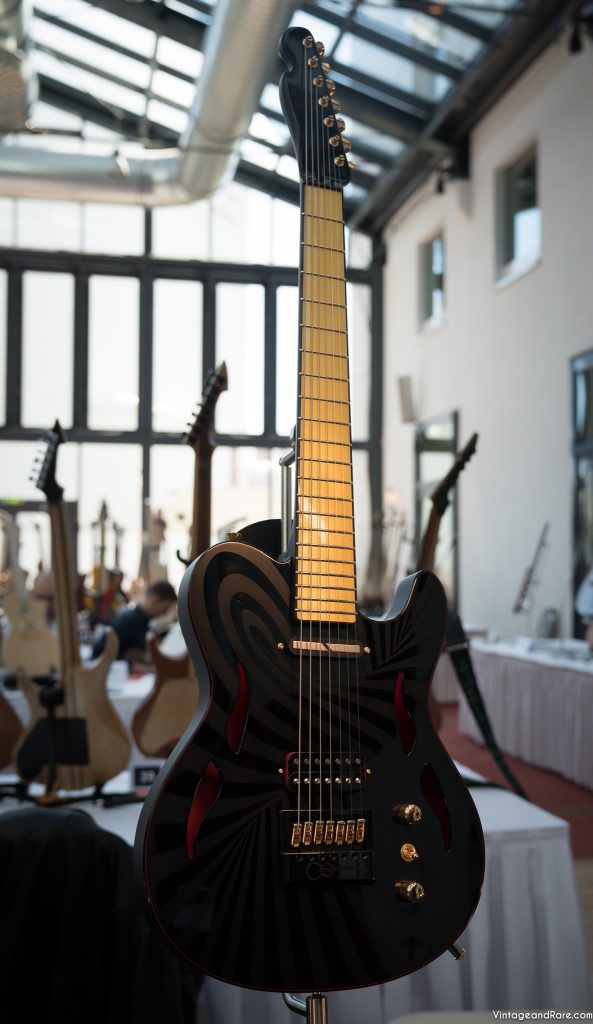
Caparison Guitars are Japanese guitar and bass company. The company was established in 1995. Their best selling guitar is “Horus” model, but it is also important to mention their Caparison Dellinger, TAT and Orbit models.

‘’ I am delighted to continue working with, and designing for Caparison. I would like to express my deepest thanks to our customers, dealers, artists, and all who helped support us in making a fresh start. It is my feeling that Caparison guitars are still evolving, and I have many ideas that can now be embodied. With your support, I look forward to realising a world of new guitars.’’

Itaru Kanno/ Designer, Caparison Guitar Company.

Chris Amott / Caparison Guitars / Frankfurt 2012

Caparison Guitars / Guitar presentation / Frankfurt 2012

For more amazing videos please visit our YouTube channel. Also feel free to leave a comment…

Video blog: Stevens Custom Guitars

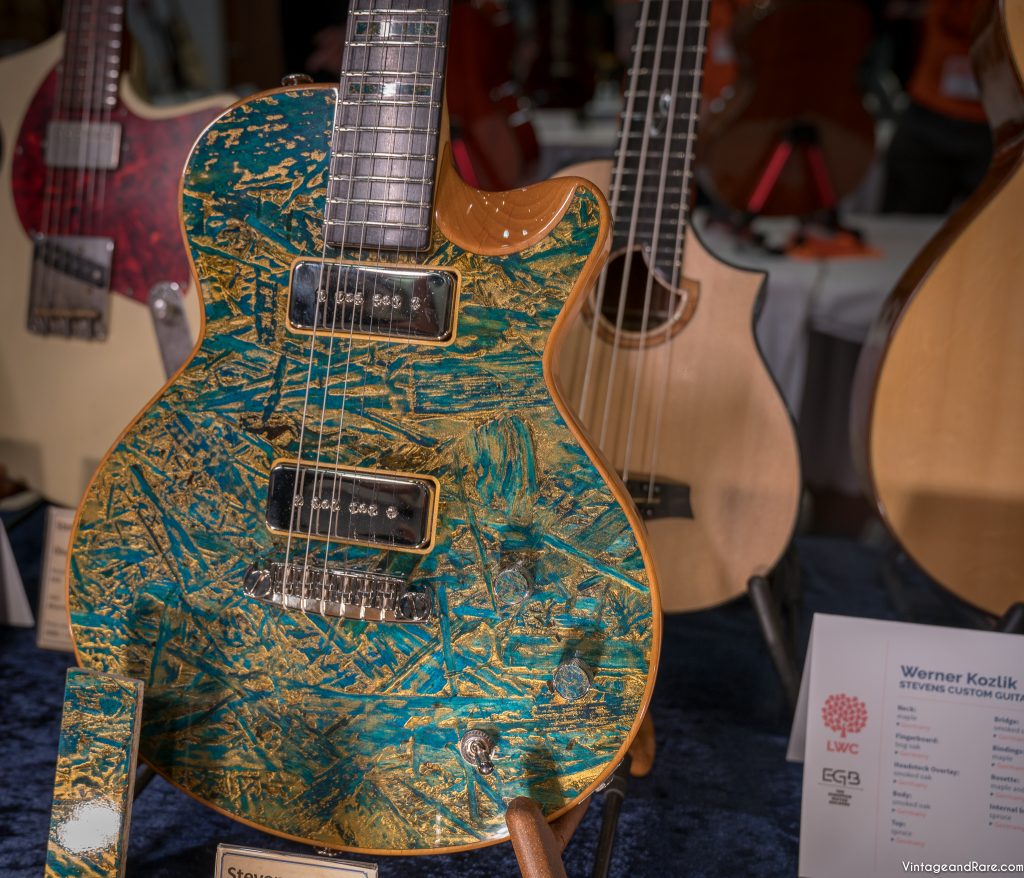
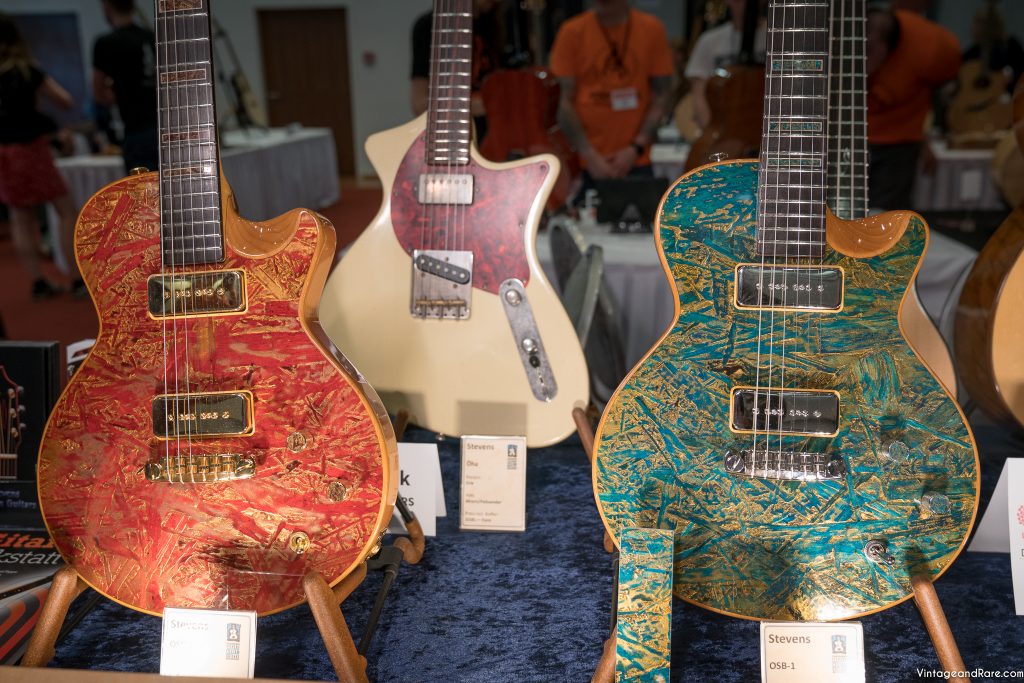
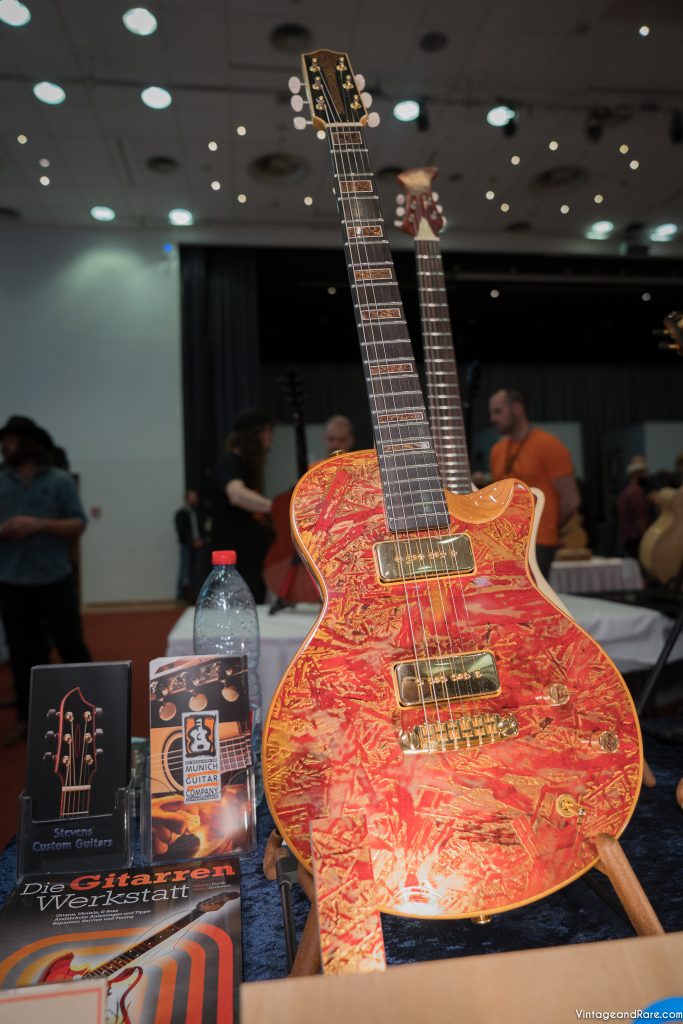
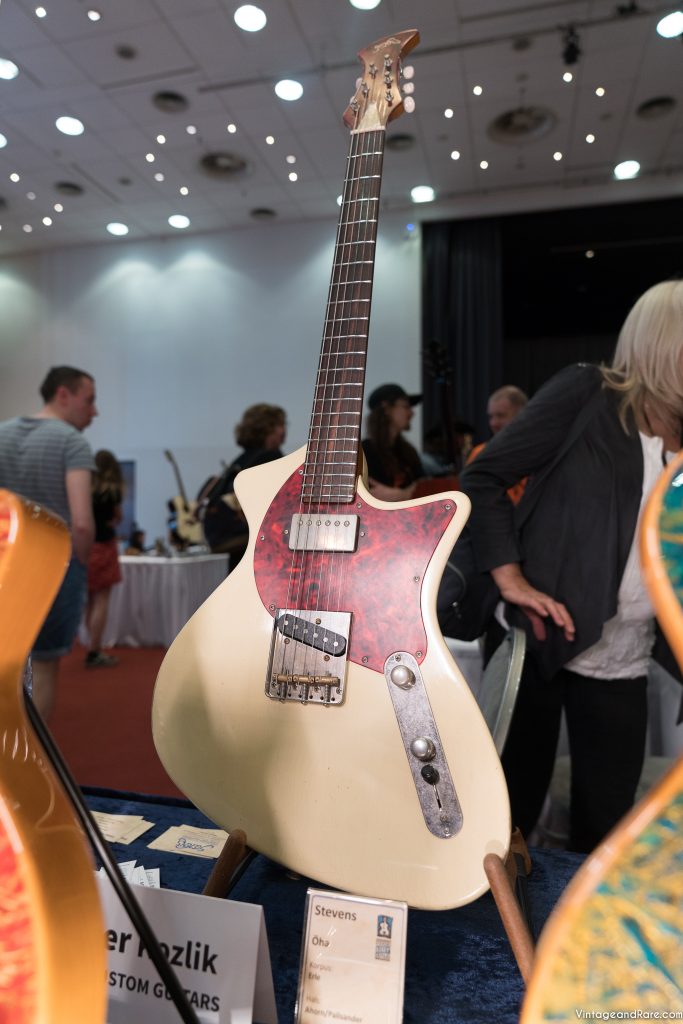
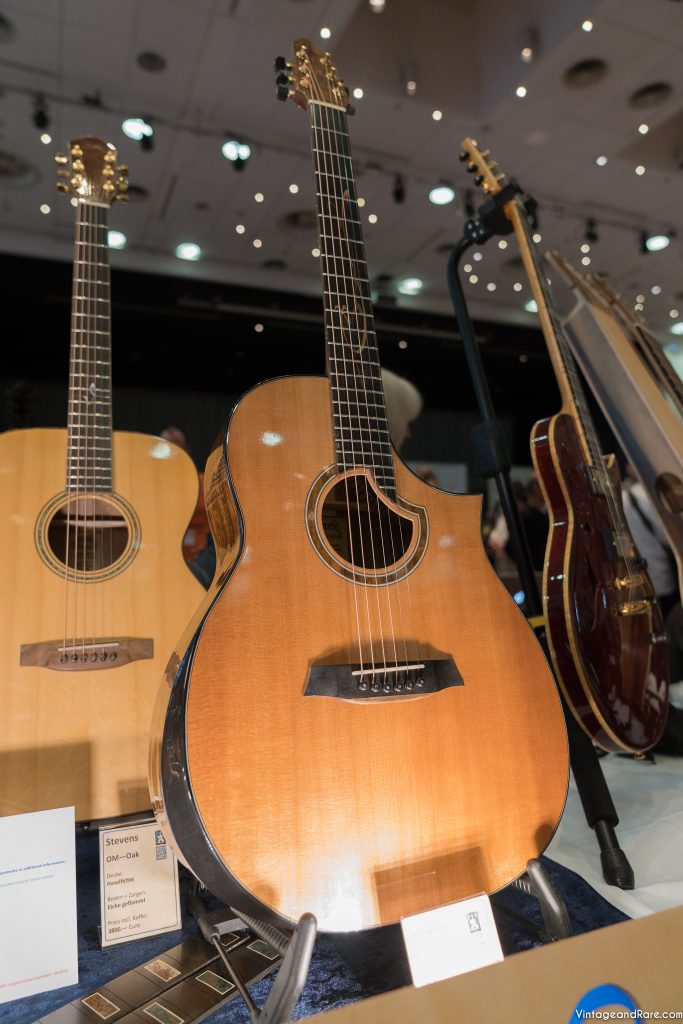
In April 2012 Nicolai from Vintage & Rare had a great opportunity to meet Werner Kozlik at the Frankfurt Show 2012. Werner is owner of Stevens Custom Guitars and Munich Repair Shop. At the show they were presenting the whole range of instruments they do in Stevens Custom Guitars Company.

They are mostly focused on development and production of musical instruments, such as Steal String Guitars, Jazz Guitars, Irish Bouzoukis, Acoustic Bass Guitars and custom orders.

Here are some cool pictures and videos of that day. Enjoy!

Stevens Custom Guitars / 1 of 2 / Vintage & Rare / Frankfurt Show 2012

Stevens Custom Guitars / 2 of 2 / Vintage & Rare / Frankfurt Show 2012

Would you like to add something about Stevens Custom Guitars? Please leave a comment…

Video blog: Norwegian Wood Series / Husemoen Guitars

Frankfurt show 2012 was a great opportunity for Nicolai from Vintage & Rare to meet Øystein Husemoen from Norwegian Wood Series / Husemoen Guitars.

The Norwegian Wood Series are made entirely from woods that grow in Norway. The advantage is that they do not have to use the rainforest to timber in order to create a good sound. These handmade guitars combine maximum playability with a rich tone and a classic design.

Here is one cool video of that day. Enjoy!

Would you like to add something? Please leave a comment…